🏠 Welcome to InfoRapid KnowledgeBase Builder
Visualize and structure your thoughts, ideas, and knowledge.
Welcome to InfoRapid KnowledgeBase Builder, a versatile and powerful knowledge management tool. It allows you to move beyond rigid tree structures, enabling you to capture, organize, and connect your thoughts in a flexible, interactive space.
Whether for complex structures in business or medicine, for planning projects, or for your studies – the app easily handles large datasets.
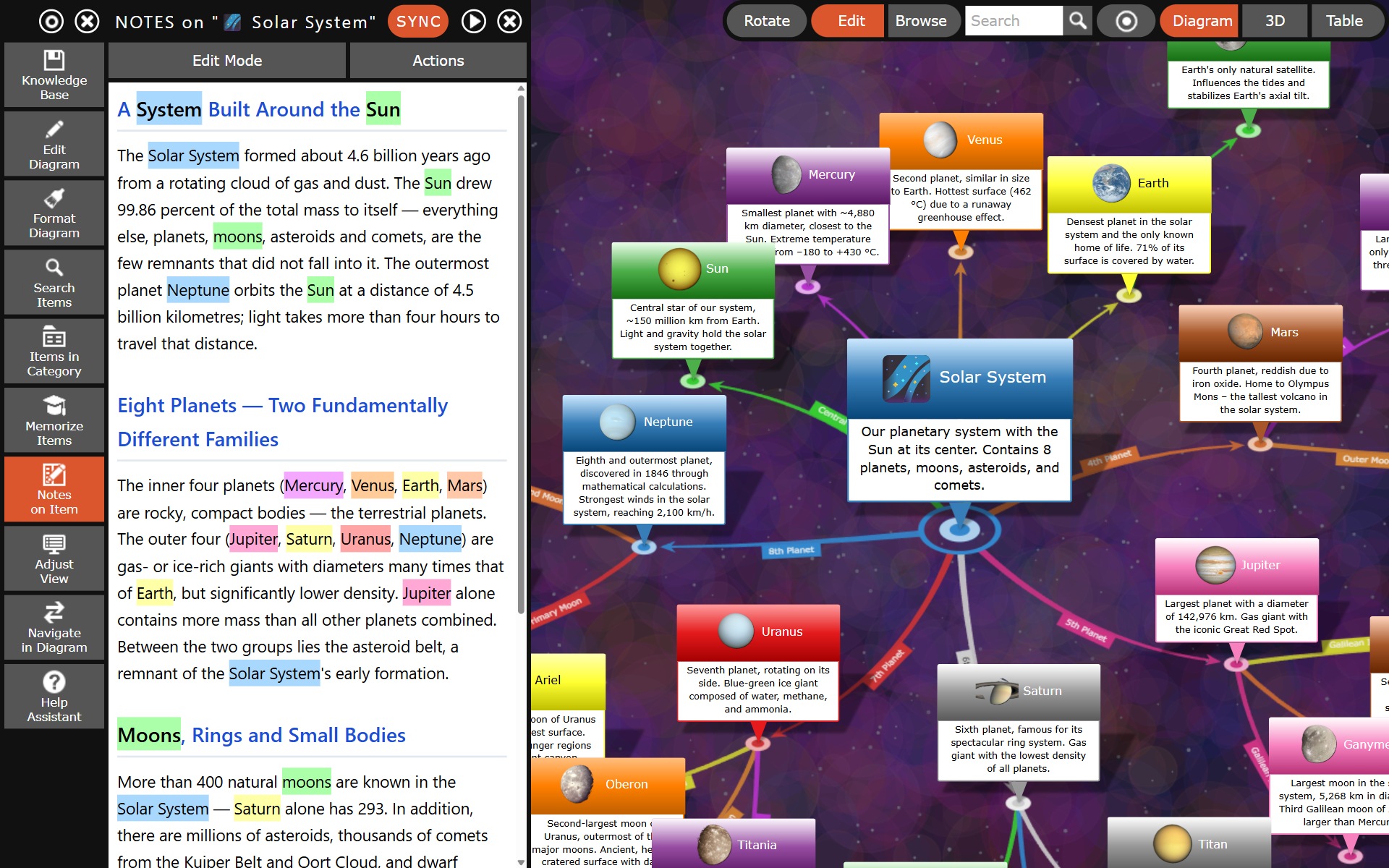
Core Features
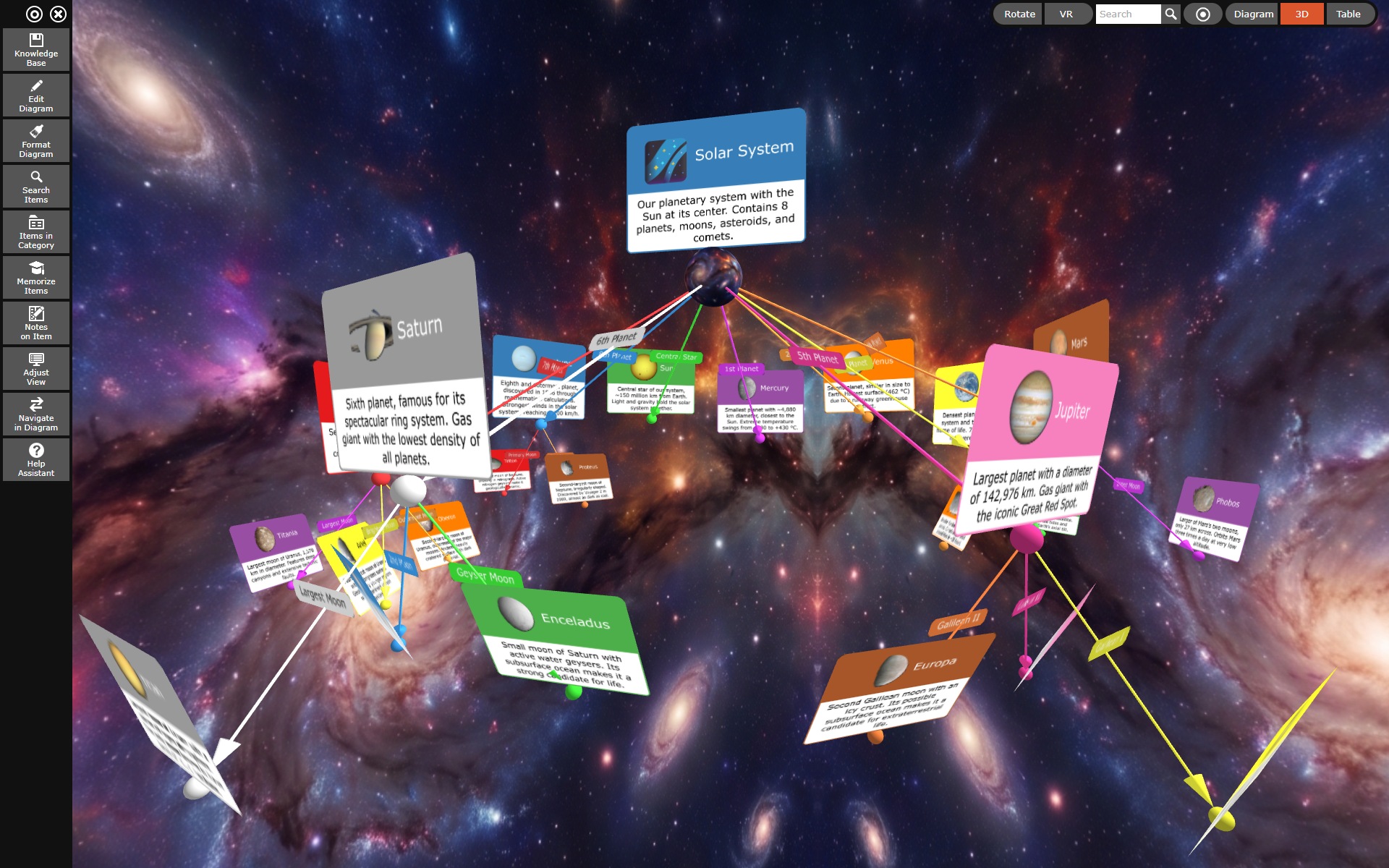
- 🚀 Interactive 3D mind maps: Navigate through rotatable knowledge networks in a dynamic 3D space that you can browse like an interactive book.
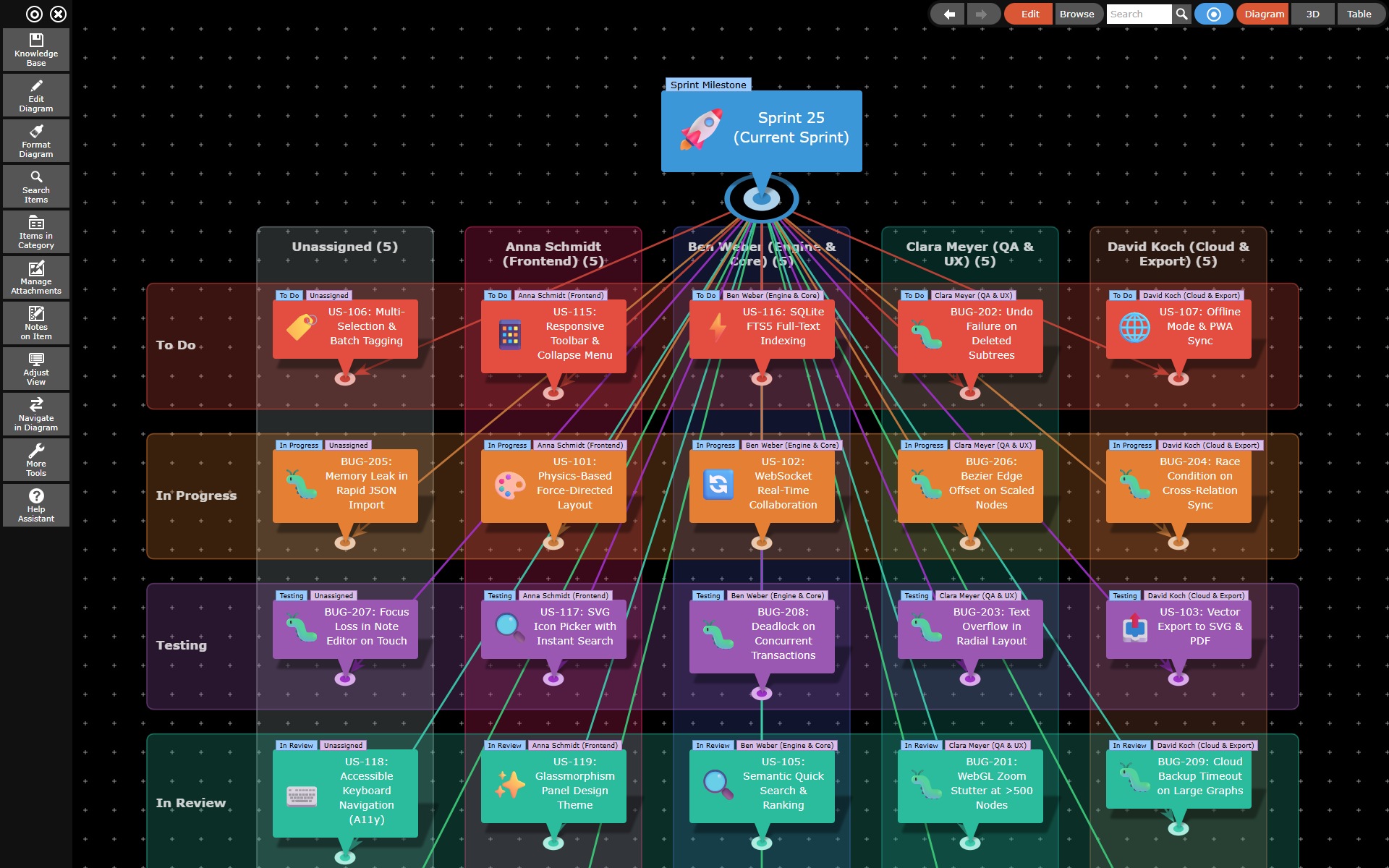
- 📋 Agile Project Management & Kanban Boards: Plan and manage your sprints with freely configurable Kanban and Scrum matrices. Distribute tasks across team members and work phases (To Do, In Progress, Testing, Done), rearrange columns and swimlanes directly via drag-and-drop, and seamlessly hand cards over to subsequent sprints.
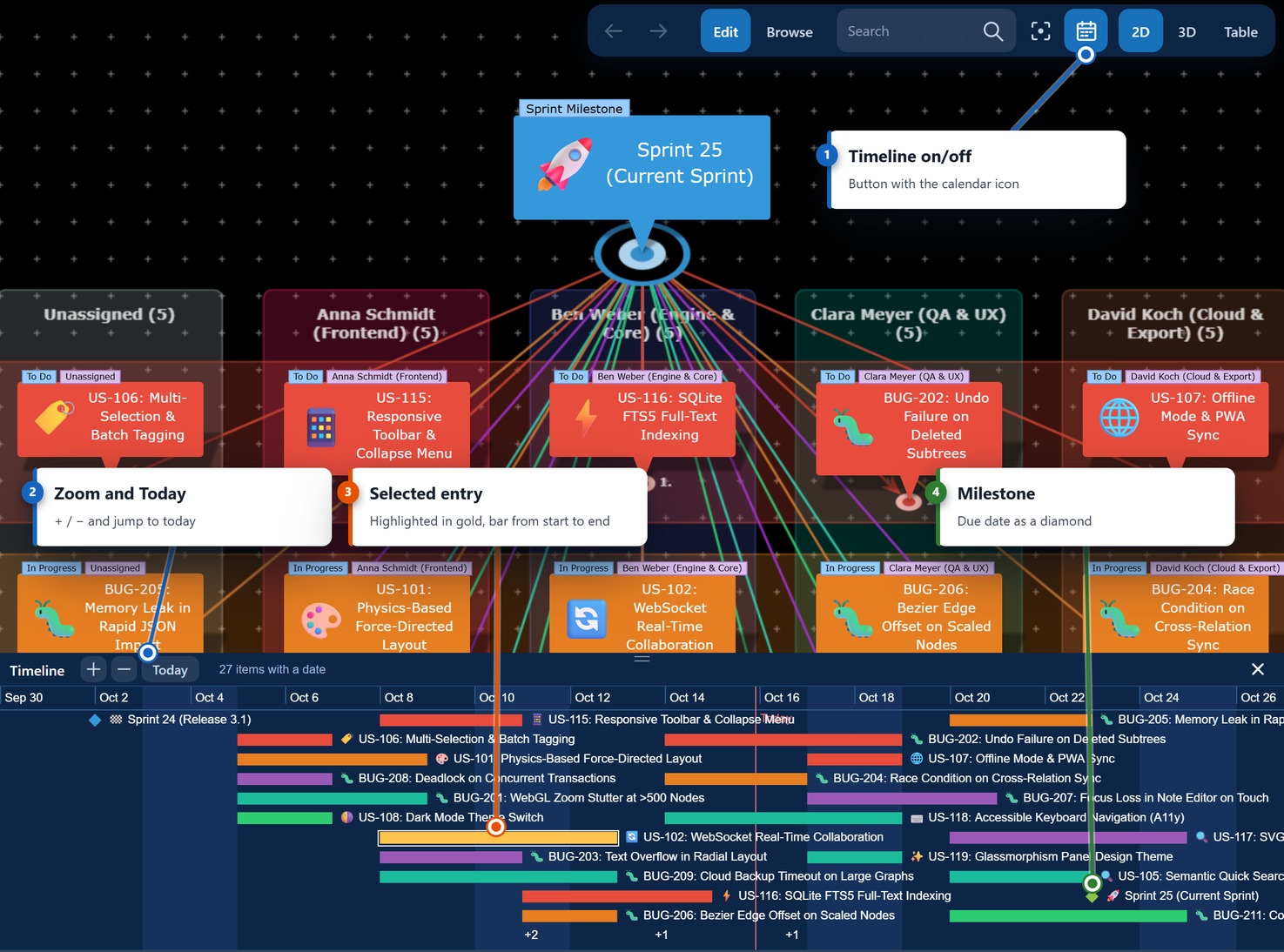
- 🗓️ Timeline & data fields: Store points in time, periods, status, priority, estimate and assignee in the Dates tab — depending on the type of the item (task, milestone, event, person). The timeline that folds out below the drawing area then shows the entire database along the time axis, as bars, points and milestone diamonds. In edit mode you reschedule right there: drag an item from the diagram onto the strip to date it, or move bars and their edges to adjust dates and durations.
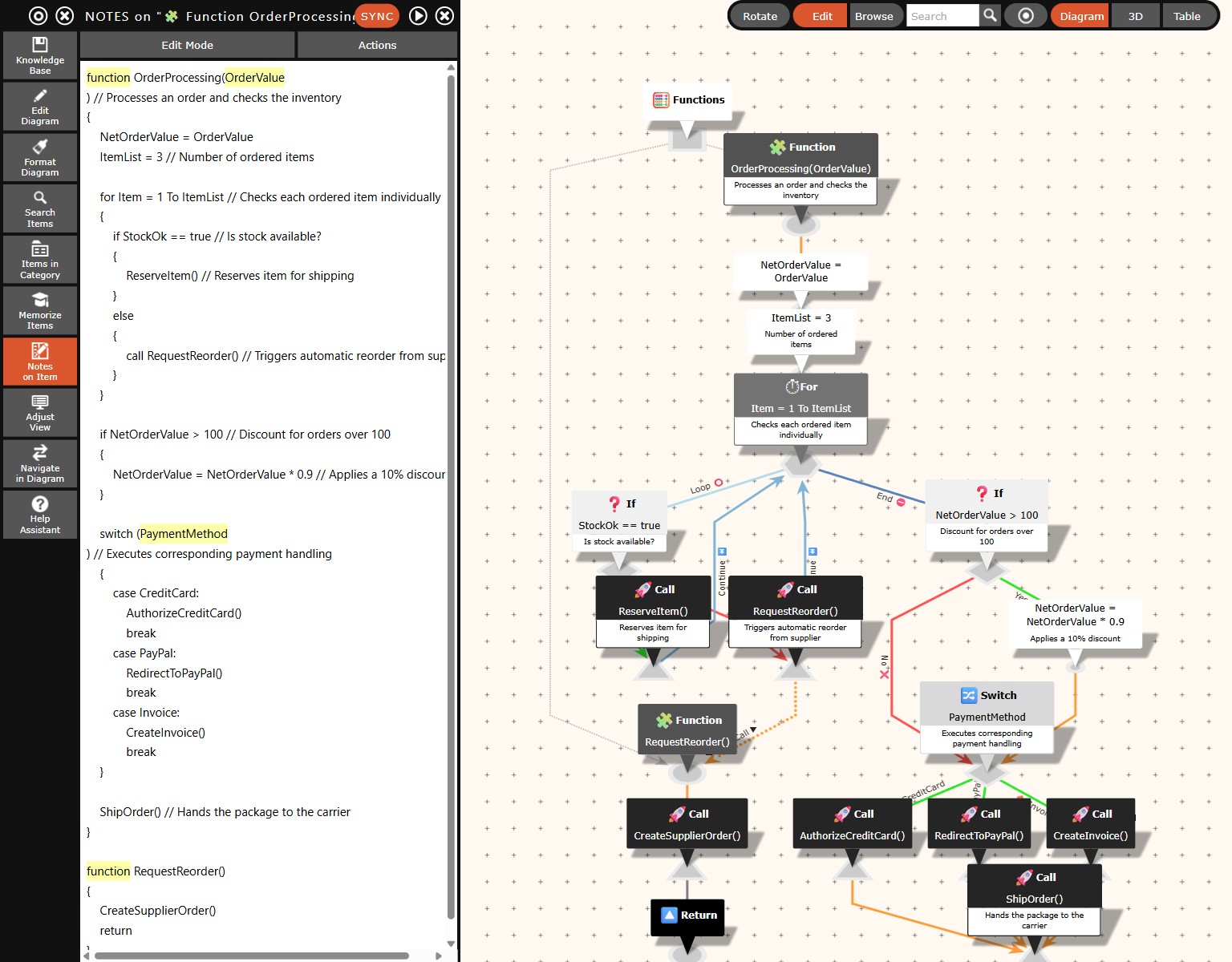
- ⚡ Smart automation: Import complete Wikipedia articles automatically directly into your mind map with just a few clicks. Generate mind maps from text documents via text analysis or create professional flowcharts instantly from written pseudocode.
- 🎓 Integrated learning (Flashcards): Ideal for students! The app automatically converts your mind maps into interactive flashcards and multiple-choice tests (Memorize function) for efficient learning.
- 🛡️ Maximum offline security (Local Storage): Your data belongs to you. Unlike many cloud-based competitors, the app stores everything absolutely securely and offline-capable in a local SQLite database on your device.
- 🔄 Cross-platform: Edit your knowledge bases on Windows, macOS, Android, and iOS. Simply save your database file (
.kdb) manually to a cloud drive (like Google Drive, Dropbox, or OneDrive) and open it flexibly on all your devices. - 🤝 Fairness instead of subscription traps: We reject expensive monthly subscriptions. This is a fair, honest one-time purchase – you pay once and use the app permanently without hidden costs or subscription traps.
⚖️ Expectation Management: Our dynamic Auto-Layout
The InfoRapid KnowledgeBase Builder is designed to handle large datasets with tens of thousands of nodes.
To guarantee this, our dynamic auto-layout complements the free drag-and-drop placement of individual nodes in the map. The system automatically arranges the networks in such a way that they remain clearly structured. You can still move items freely in the diagram by dragging and dropping the small anchor point (circle) below the text box to the desired location. The system saves this shift relative to the automatically calculated position.
If you still want to adjust the order of nodes manually, simply use our convenient Table View, where all elements can be easily rearranged via manual drag-and-drop.
What's Next?
Ready to start? Navigate through the documentation via the left menu to explore all facets of the program:
- Start with Introduction & Concept to understand the philosophy of the app.
- Explore the Main Menu & Features for a step-by-step guide to all tools.
- Check out the FAQ & Troubleshooting for quick solutions.